Rule-Based Automation
Send emails automatically based on record status and workflow rules.
Project showcase
Automate follow-ups, standardize communication, and keep every email traceable.
A custom Google Workspace automation system built with Google Apps Script, Google Sheets, Gmail, and Google Drive.
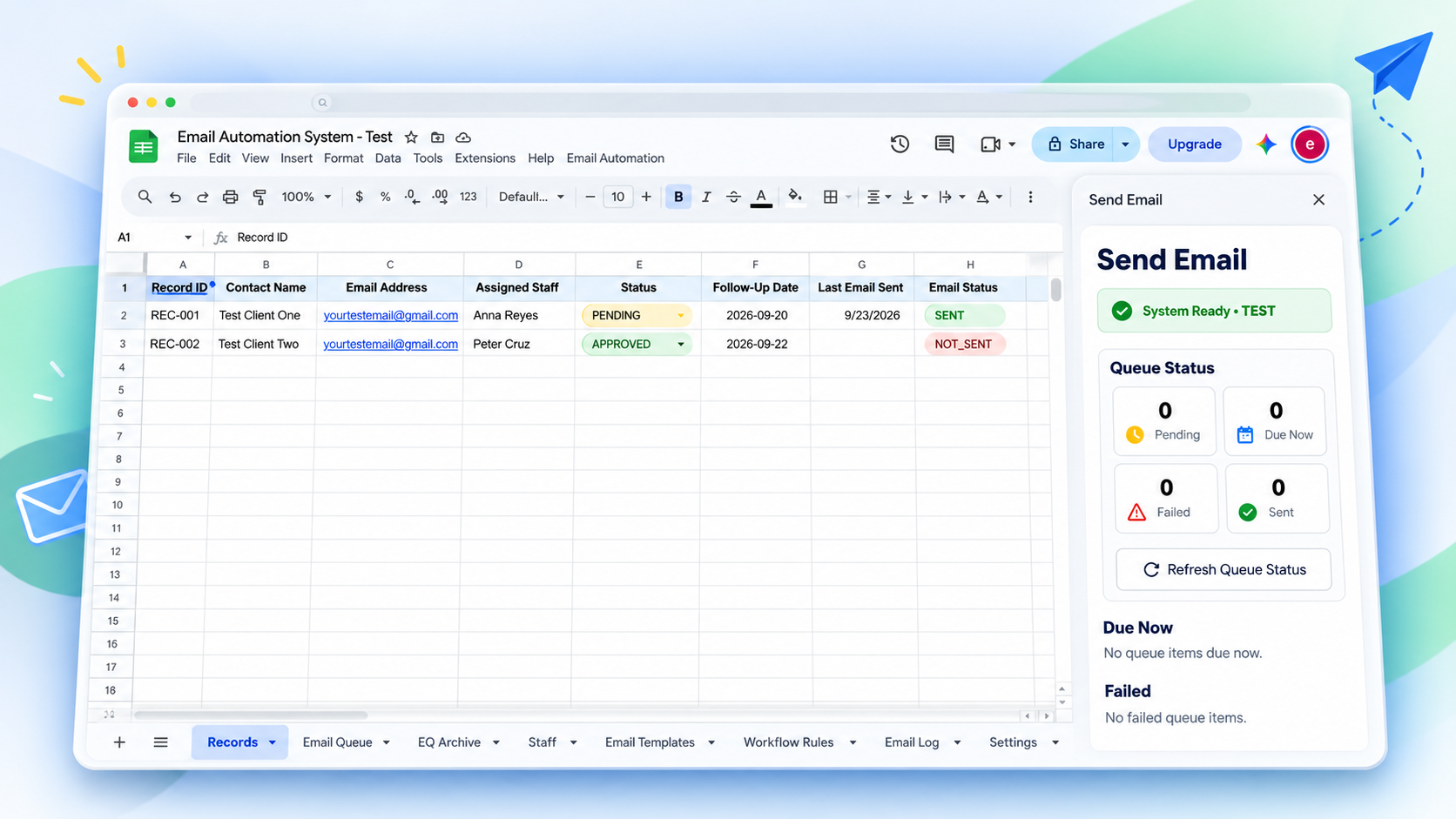
What it handles
Send emails automatically based on record status and workflow rules.
Queue and send emails at the right time without manual tracking.
Reusable templates merge client, record, and staff data automatically.
Attach approved Google Drive files directly from the email sidebar.
Prevent accidental duplicate workflow emails using event-level safeguards.
Track every email with timestamp, status, trigger type, and history.
Simple. Powerful. Practical.
Manage client communication, follow-ups, and document requests from one simple workflow built inside Google Workspace.
Operational views
A closer look at the key parts of the system. These structured previews use sample data; final product captures can replace each slot.
Manage client information and track email status.
Load a record, preview templates, attach documents, and send emails.
Scheduled emails are processed automatically.
Every completed send is recorded with status and audit details.
Real workflow evidence
See the email delivered to the demo inbox with merged sample details and an attachment. The transaction is then recorded automatically in the Email Log.
Watch Demo Video Demo/test content only. No production client data is shown.Hi Alex Rivera,
Your request under reference REC-DEMO-001 has been approved. Please see the attached sample document.
A repeatable process
A simple five-step process from record to delivered email.
Choose a record from the sheet.
Preview and customize the email.
Optional · Attach a Google Drive file.
Send manually or let the workflow handle it automatically.
Check the delivered email and review the log entry.
Automation features
Familiar tools
Built with familiar Google Workspace tools and lightweight web technologies.
Operational database and workflow interface
Automation engine and business logic
Email delivery
File attachments
Custom sidebar interface
Possible adaptations
The same workflow pattern can be configured around different business rules, approvals, and communications.
DEF Creatives · Turning Complexity Into Clarity
Need a similar system for your business? Whether you need automated follow-ups, lead management, appointment workflows, email automation, or a custom Google Workspace solution, DEF Creatives can build around your existing process.